

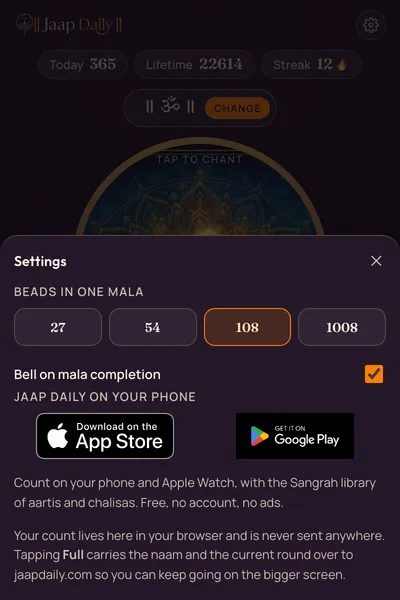
108, or the mala you use
27, 54, 108 or 1008 beads. The ring fills by proportion, so a shorter mala still reads as one full round.
Chrome extension
Count your naam while you work, without opening an app or a tab. Free, no account, and it asks Chrome for one permission — to remember your count on your own computer.
Chrome on a computer — Windows, macOS, Linux or ChromeOS. Chrome on a phone does not run extensions; that is what the iPhone and Android apps are for.
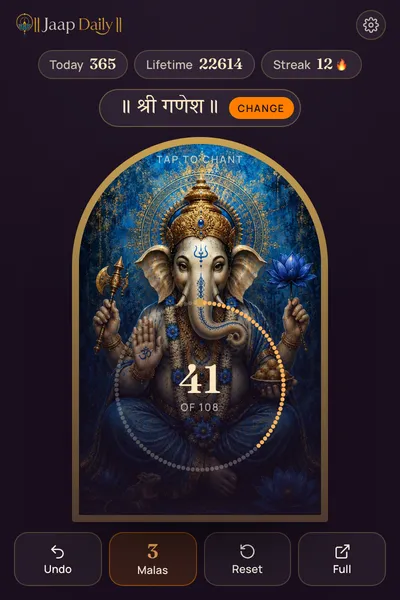
Counting
Tap the arch and one bead fills. When the round closes, a bell marks it — the way a guru bead does.
27, 54, 108 or 1008 beads. The ring fills by proportion, so a shorter mala still reads as one full round.
Alt+Shift+K counts one without opening anything, and the toolbar badge shows where you are in the round. It is the desktop answer to counting on a phone with the volume buttons. Alt+Shift+J opens the counter; space and enter count while it is open.
The day rolls over on your own calendar day. A streak continues only if you counted yesterday — a missed day starts it again rather than quietly carrying on.
Naams
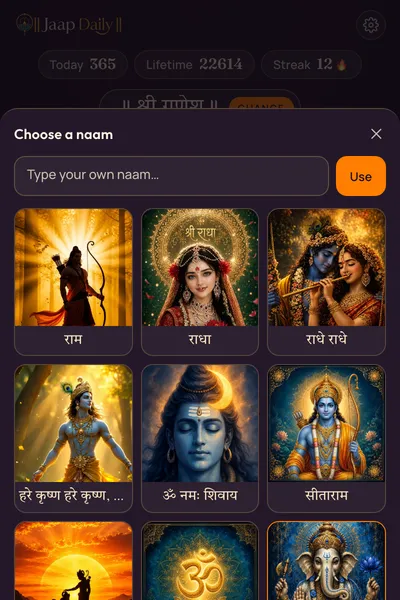
If the naam you recite is not among them, type it. Whatever script your keyboard produces is kept exactly as you write it — nothing is transliterated, shortened or corrected. A typed naam arrives on the Om artwork.
Privacy
The extension asks Chrome for storage, and for nothing else — so your count, your naam and your settings are remembered on your own computer. It asks for no access to any website you visit, and it cannot see your browsing history, the pages you open, or anything you type anywhere else.
It has no analytics, no telemetry and no crash reporting, and it makes no network request of any kind. The artwork, the fonts and the bell are packaged inside it, which is also why it works with no connection at all.
Written out in full in the privacy policy. That claim is held to the code by a test rather than trusted: if a network call were ever added, the build fails.
The bigger screen
Tapping Full opens the counter on jaapdaily.com with the naam you are counting, how far through the round you are, and the rounds you have finished — so the session continues instead of starting again. That travels inside the link itself and never reaches a server.
What it does not do is keep the two in step afterwards. A browser extension cannot read another origin's storage, so its count is its own: the numbers in the popup, on this website and in the phone app are three separate tallies that meet at the moment you hand one over. Making them one practice needs the app's optional sign-in, and is not built.
Chant. Reflect. Remember. Refine.
Free, with no ads and no paid tier — here, in the app, and in the extension.
Get it on the Chrome Web Store