One counter. A lot of care.
The bead ring
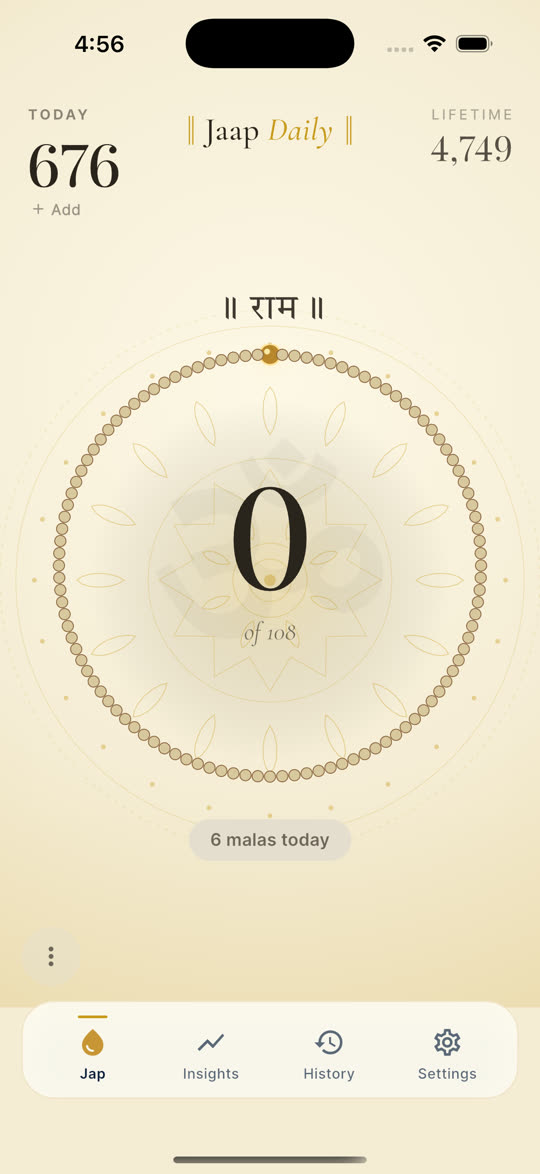
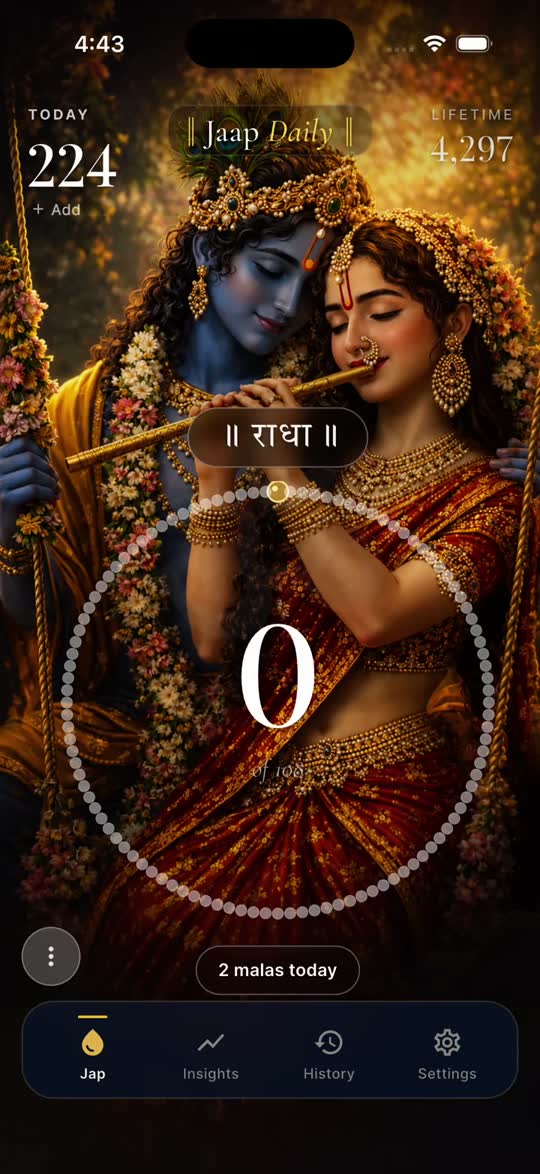
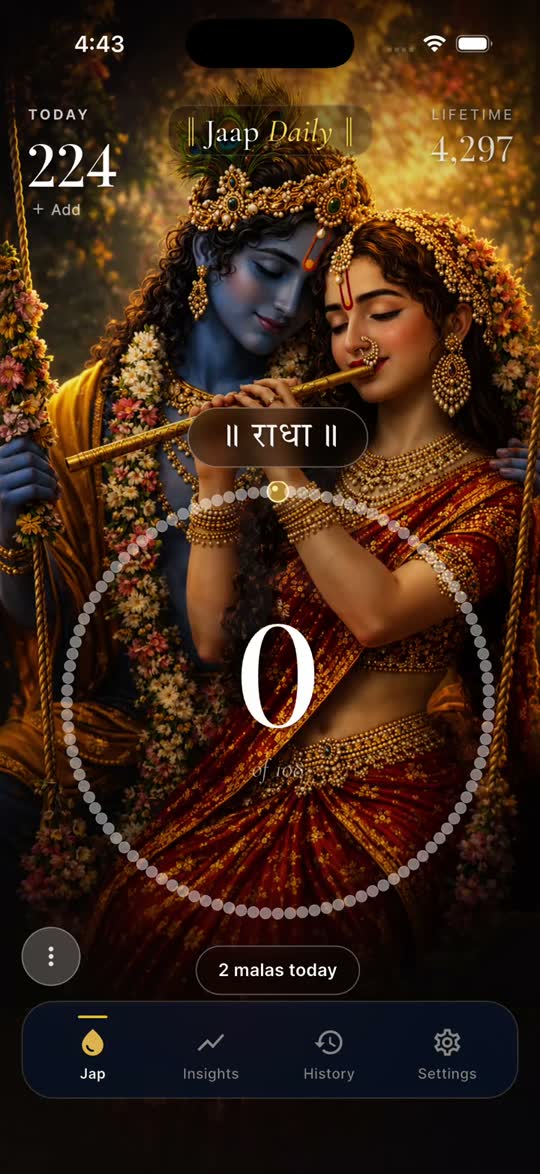
A 108-bead ring that pulses with every tap. Every bead lights up in sequence. Daily and lifetime totals display at the top; your mala count sits at center. The ring is a more direct visual metaphor than a spinner — it's the same shape as what you might hold.
Movable counter ring New
Make the counter yours. Turn on Drag mode in Settings → Counter and drag the bead ring to any corner, edge, or sweet spot on your screen — ideal for one-handed chanting or moving the ring off the devotional artwork. The ring stays within the screen edges automatically. Your position is saved and restored every time you open the app.
Settings → Counter: "Drag mode" toggle to enable drag; "Reset position" to re-centre the ring at any time. Not available in Anushthan mode — the dual-counter layout uses both halves of the screen.
Floating naam text
Every tap floats the naam upward in a script-correct font. Choose from a preset color palette or pick any HSV value. Optionally enclose it with ॥ X ॥ dandas in the traditional Devanagari style.
Focus mode
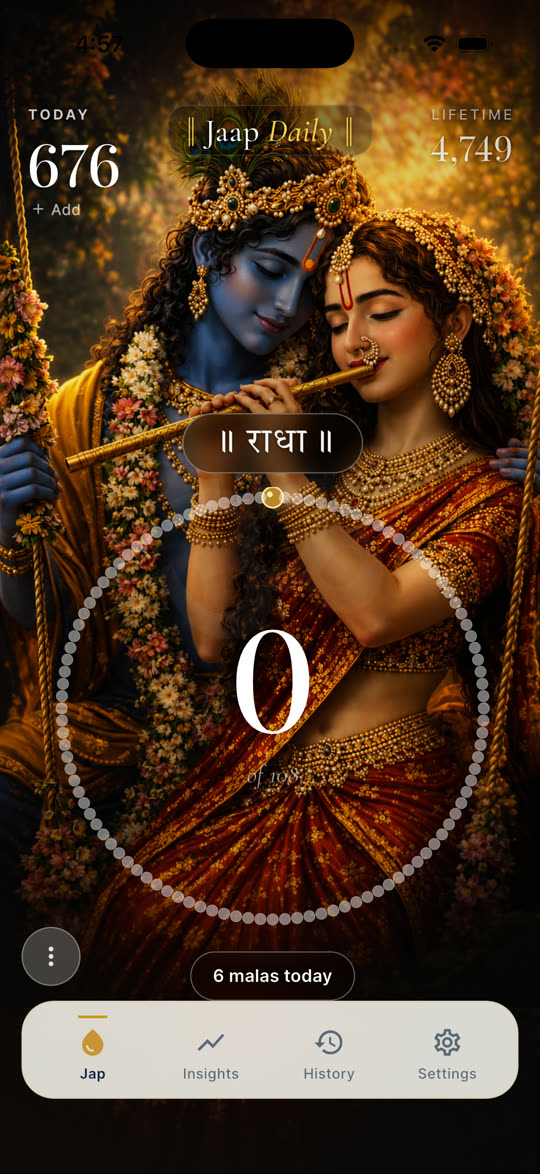
A full-screen wallpaper view with the screen kept awake. Five included wallpapers — Radha Krishna, Ram, Shiv, Hanuman, Krishna — plus one custom from your photos, and more to download on the web. Tap anywhere to count. Pinch out to exit. Status bar hidden. Just you and the count.
74 naams and 39 mantras
74 naams across 20 regional traditions, sorted regional-first per app language. 39 mantras across Vaishnav, Shaiva, Shakta, Universal, and Gujarati traditions, with full transliteration and Devanagari/Sanskrit/Gujarati originals. Add your own naam — stored exactly as you typed it.
Goals and streaks
Set a daily and a lifetime jap goal. The streak counts every day you hit your daily goal. The math is calendar-correct: spring-forward and timezone changes don't break a streak. (This is a real bug we fixed in V1 — many japa apps still have it.)
Insights
Daily bar chart with Today / Week / Month / All views. Best time of day. Momentum vs last month. Projected goal date. Stat cards for current streak, longest streak, and total malas completed.
History
Every session by date. Calendar view. Search and filter by naam. Your full practice log, always on your device.
Log your offline practice
Many devotees count with a finger tally counter, traditional mala beads, or mental count rather than tapping a screen. JaapDaily respects both. After your session, open the app and add your count — your daily total, lifetime total, mala completions, and streak all update exactly as if you had tapped each jap. You can also backfill past sessions up to 30 days from the History tab; if you forgot to log yesterday, your streak repairs itself automatically.
Cloud sync and optional sign-in New
Your practice, on every device. Sign in once with phone number, email, Google, or Apple — your sessions, streaks, custom naams, and settings sync automatically across all your devices via Firebase. Sign-in is opt-in and always will be; the full app works without an account. For users who don't sign in, everything stays on-device as before.
iCloud and Google Drive backup
Device-level backup, separate from cloud sync and just as optional. Enable iCloud backup on iPhone or Google Drive backup on Android and your practice data rides along with your phone's own backup — restore it when you move to a new device. It stays in your iCloud or Drive storage, outside our servers and under your control; remove it anytime from your storage settings.
Anushthan dual-counter mode
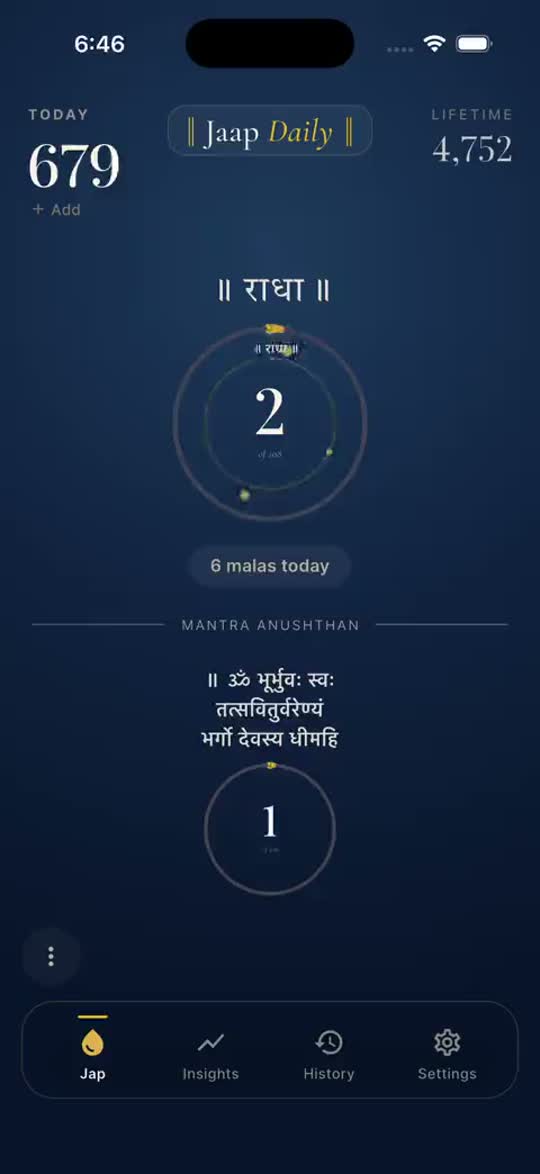
Track a naam and a mantra side-by-side with independent mala sizes. Each rings its own bell. The interface splits in two — top zone for the Naam, bottom zone for the Mantra. History records each separately.
Apple Watch
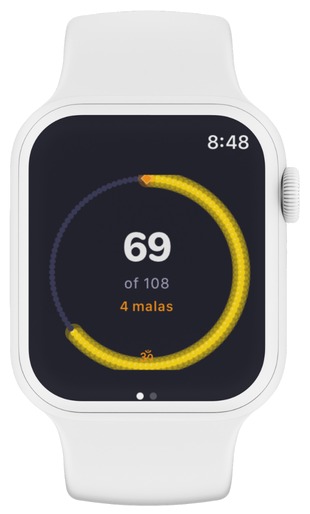
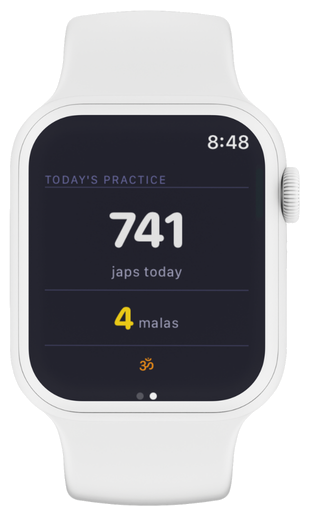
A standalone watchOS app, not a remote control. Bead ring on the watch face. Tap the screen, twist the Digital Crown, or glance at the complication. The watch counts even when your phone is in another room. It syncs back when you reconnect.
On Android, a Wear OS companion app launches alongside — count from either wrist.
Home screen widgets
iOS small (2×2) and medium (4×2), Android small and medium. Today's count, streak, naam, and goal progress at a glance.
Volume buttons New on iOS
Press Volume Up to count each jap. Press Volume Down to undo the last one. No screen required — chant with the phone in your pocket, face-down on a desk, or eyes closed in meditation. Available on both iPhone and Android; toggle it on in Settings → Counting.
JaapDaily counts at every system volume level, including when the volume is already at maximum or minimum. Many apps stop registering presses at the extremes. The feature auto-suspends when the app backgrounds, so your regular media controls aren't affected outside the app.
20 languages
English, Hindi, Gujarati, Tamil, Telugu, Kannada, Marathi, Bengali, Punjabi, Malayalam, Odia, Assamese, Urdu, Sanskrit (transliterated), Japanese, Russian, Spanish, French, German, Indonesian. The naam text itself is never translated — only the app interface.
Themes
Six accent colors, light and dark mode, five included wallpapers.
Notifications, your way
Daily reminder at the time you choose. Milestone celebrations. Fully toggleable.